Client ledger
Keep client contact details, billing addresses, quote history and invoice history together.
 Revara
Quotes, invoices and client records
Revara gives small UK businesses a calm, secure workspace for client records, branded quote and invoice PDFs, online quote responses, secure invoice payments, reminders and billing history.
What it does
Built for real day-to-day quote and invoice management, with branded PDFs your customers can recognise.
Keep client contact details, billing addresses, quote history and invoice history together.
Send professional, customisable quote PDFs before the job becomes an invoice.
Create VAT or non-VAT invoices, preview PDFs and keep every document looking professional and on-brand.
Send invoice reminders, automate follow-ups and keep a clear trail of customer communications.
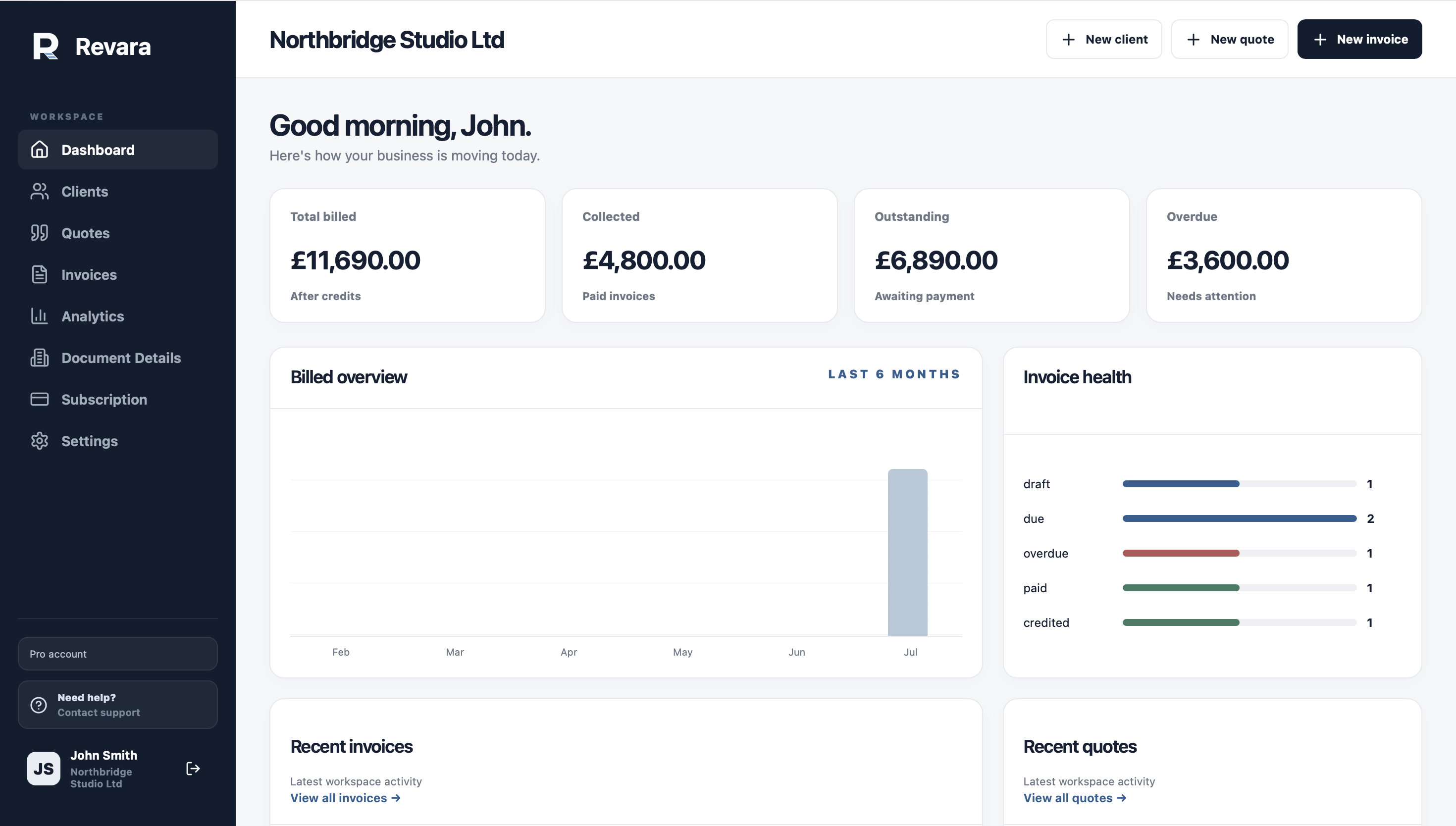
Track invoice revenue, paid and overdue balances, credited amounts, quote activity and customer records from one calm dashboard.
Let customers respond to quotes online, then keep secure invoice payments and document records in the same workflow.
About Revara
Revara brings clients, quotes, invoices, reminders and billing records into one focused workspace. It is designed for small businesses that want professional branded documents without building their own admin system from scratch.
Revara helps you build a clear history for every customer, so quotes, invoices and reminders stay easy to find long after they are sent.
How it works
Revara guides the core quote and invoice workflow without turning it into a complicated admin process.
Add your business details, logo, payment information and document style before sending branded PDFs.
Store contact and billing details once, then reuse them cleanly on quotes and invoices.
Email a branded quote for online response, or send an invoice with secure online payment.
Accepted quotes, declined quotes, invoice payments, issued PDFs and client activity stay organised together.
Product walkthrough
Watch how Revara helps a customer add a client, create a branded quote and convert it into an invoice.
Security and trust
Your quotes, invoices, client details and issued documents are protected behind secure account access, with safeguards designed to keep business records private, reliable and available when you need them.
Pricing
Choose the plan that fits how many clients and documents you manage each month.
For trying Revara with a small client list, quotes and invoices you can preview and download.
For businesses that want email delivery, online quote responses and online invoice payments.
For significantly higher usage, fully customisable documents, priority support and the complete Revara workflow.
Questions
Yes. Revara Basic includes 5 active clients, 5 quotes per month and 5 invoices per month. No card is needed.
Revara keeps things simple. Create branded quotes and invoices, get paid online, manage clients and track your business without the complexity, unnecessary features or price of traditional accounting software.
Yes. VAT is optional on each invoice, so you can create simple non-VAT invoices or VAT invoices when they apply.
Yes. You can preview and download PDFs. Plus and Pro add email delivery, online quote responses and online invoice payments.
Yes. Plus lets you add branded document details and logo branding. Pro adds fully customisable document templates and accent colours for new quotes, invoices and credit notes.
Yes. Every Revara plan includes quote creation within its monthly allowance, so you can send pricing first and turn accepted work into an invoice draft.
Yes. Revara Plus and Pro include secure quote response links, so customers can accept or decline an issued quote without needing their own Revara account.
Yes. Revara Plus and Pro include online invoice payments through Stripe. Clients can pay securely from their invoice, and Stripe processing fees apply separately.
Your existing records remain available. Your account moves back to the limits of the plan available after your billing period ends.
Contact
If you want to check whether Revara is right for your business, send a message and we will help you choose the right setup.